 DBDeck
Your databases.
Inside your
editor.
DBDeck is a free, open source database client for VS Code and Cursor. Browse tables, run queries and edit rows next to your code. No account, no paywall, no telemetry.
| id | customer | cc | status | total |
|---|---|---|---|---|
| 1187 | Mia Novak | CZ | paid | 182.90 |
| 1186 | Oliver Berg | SE | shipped | 74.90 |
| 1185 | Ava Jensen | DK | delivered | 311.90 |
| 1184 | Emma Dubois | FR | refunded | 48.90 |
| 1183 | Lucas Silva | PT | paid | 126.90 |
| 1182 | Anna Kowalska | PL | pending | 205.90 |
| 1181 | Zoe Kim | KR | delivered | 89.90 |
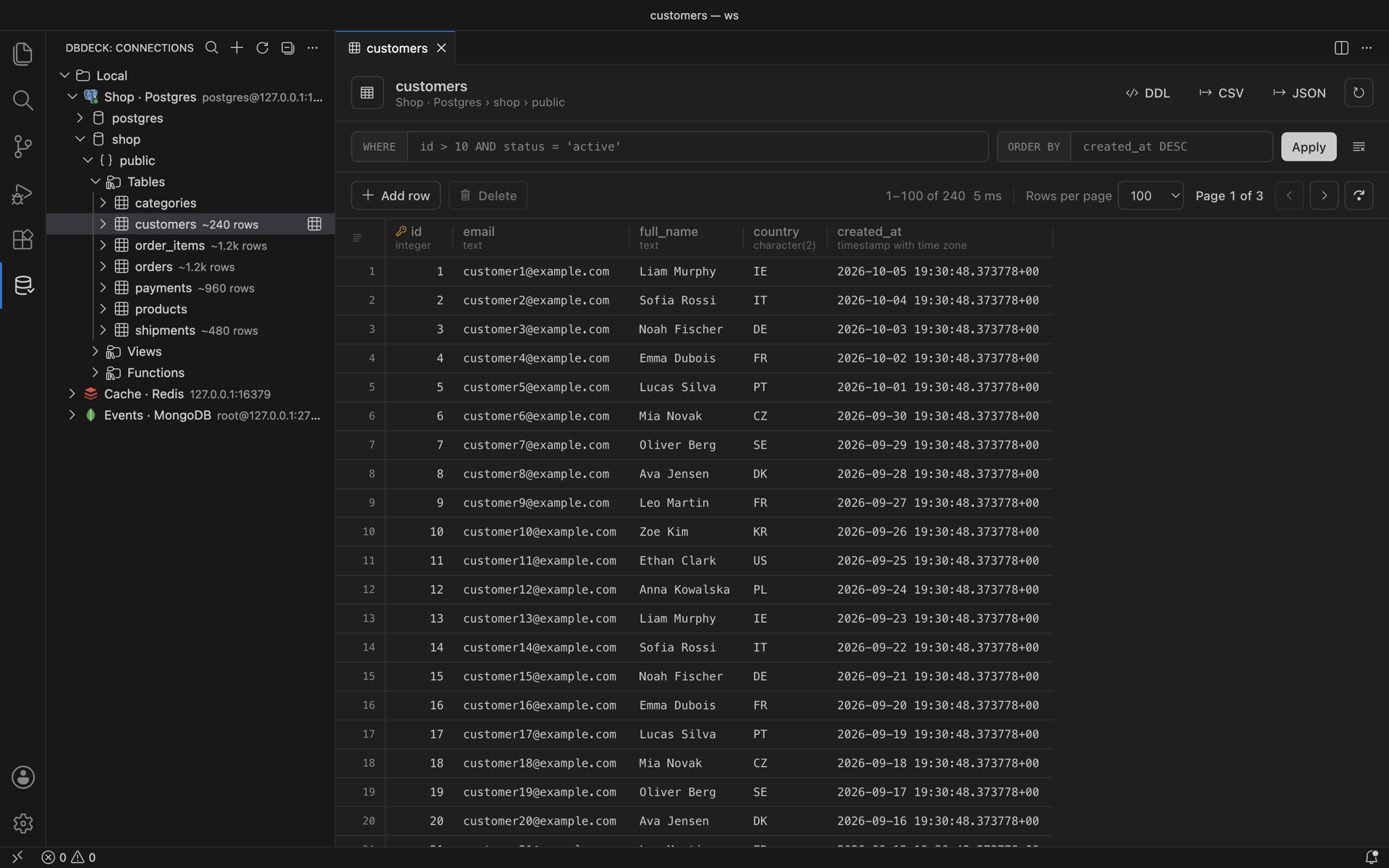
Eight services. One sidebar.
Keep every connection in one tree, grouped the way you work. SSH tunnels, SSL and read-only mode come with each of them.
- SSH tunnels with password or private key
- Read-only connections block every write
- Docker containers become connections in one click
 PostgreSQLSQL, grid editing, DDL, diagrams
 MySQL / MariaDBSQL, grid editing, DDL, diagrams
 ClickHouseSQL editor, data browsing, DDL
 MongoDBDocuments, filters, aggregation
 RedisKey tree, value editors, TTL, CLI
 ElasticsearchIndices, documents, console
 S3 / MinIO / R2Buckets, uploads, downloads
 DockerContainers, logs, shell, discovery
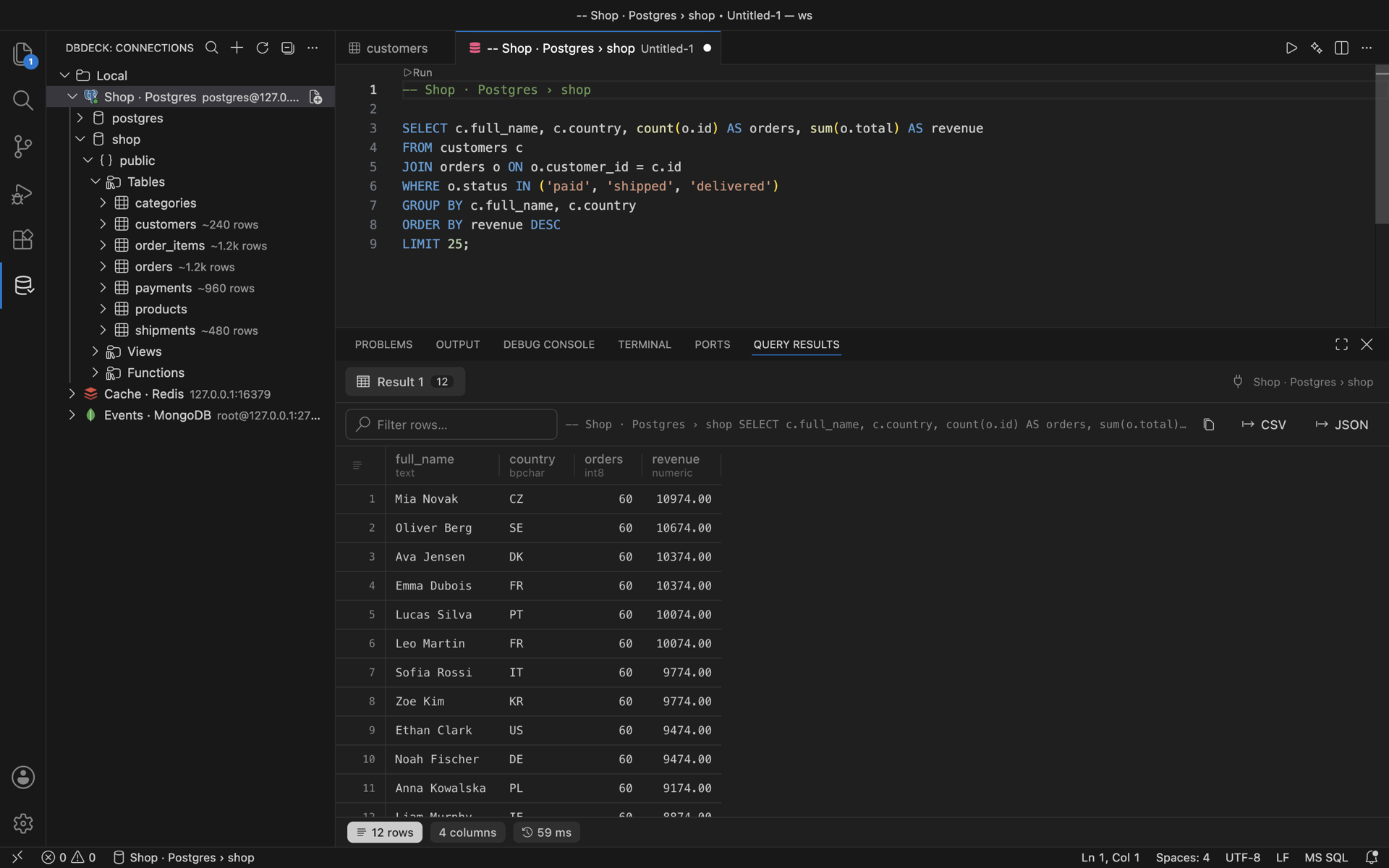
Write SQL where you write code.
Put the cursor in a statement and press ⌘ Enter. Each statement gets its own result tab, with a row filter, JSON view and CSV or JSON export.
- Table and column completion with aliases
- Run one statement or the whole file
- Inline edits saved in one transaction
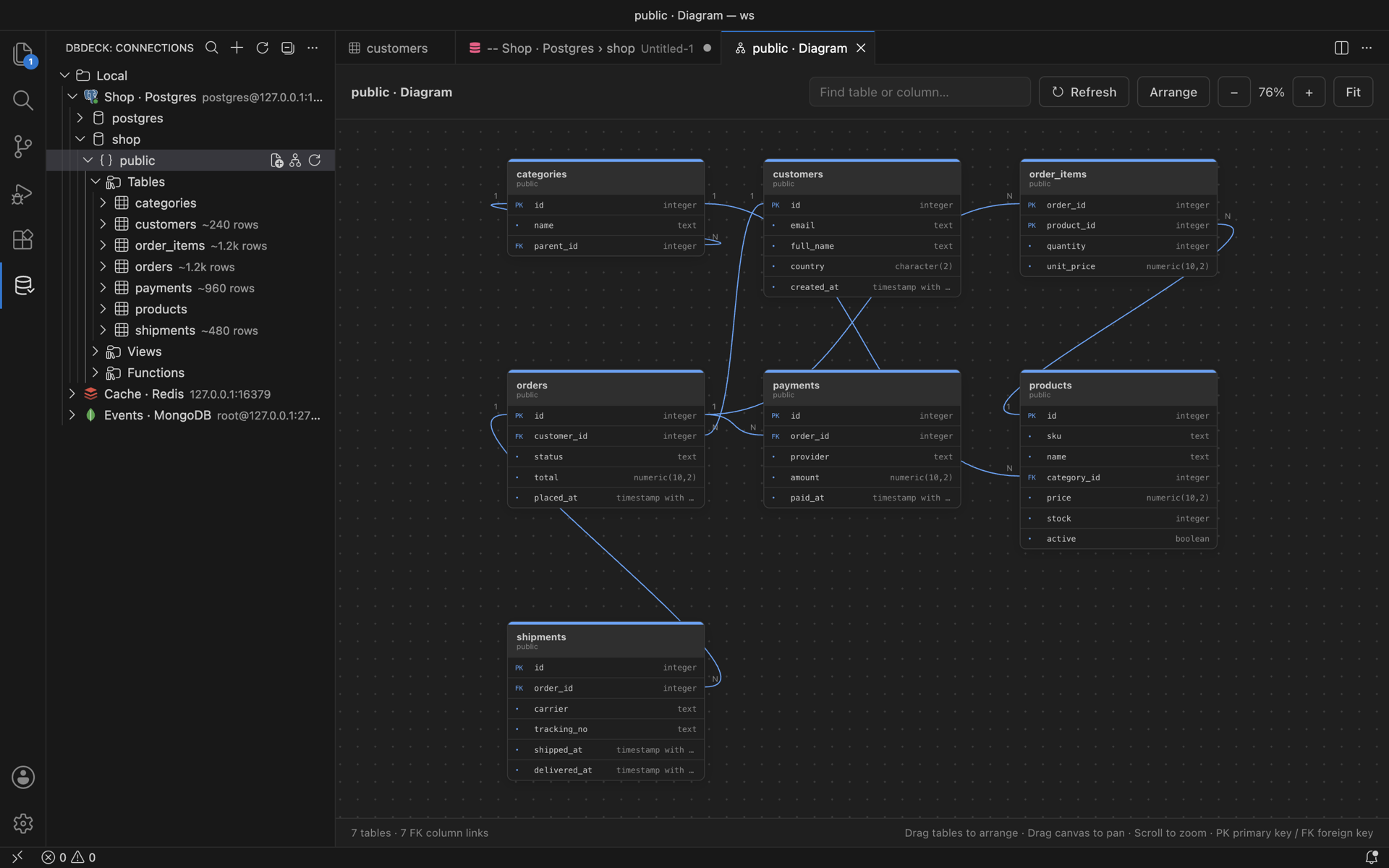
The schema, drawn for you.
Open any PostgreSQL or MySQL schema as a diagram. Foreign keys link column to column. Drag tables, pan, zoom and search; the layout is remembered.
- Primary and foreign keys marked
- Arrange and Fit in one click
- ClickHouse tables too
Not only SQL. Real editors for keys and documents.
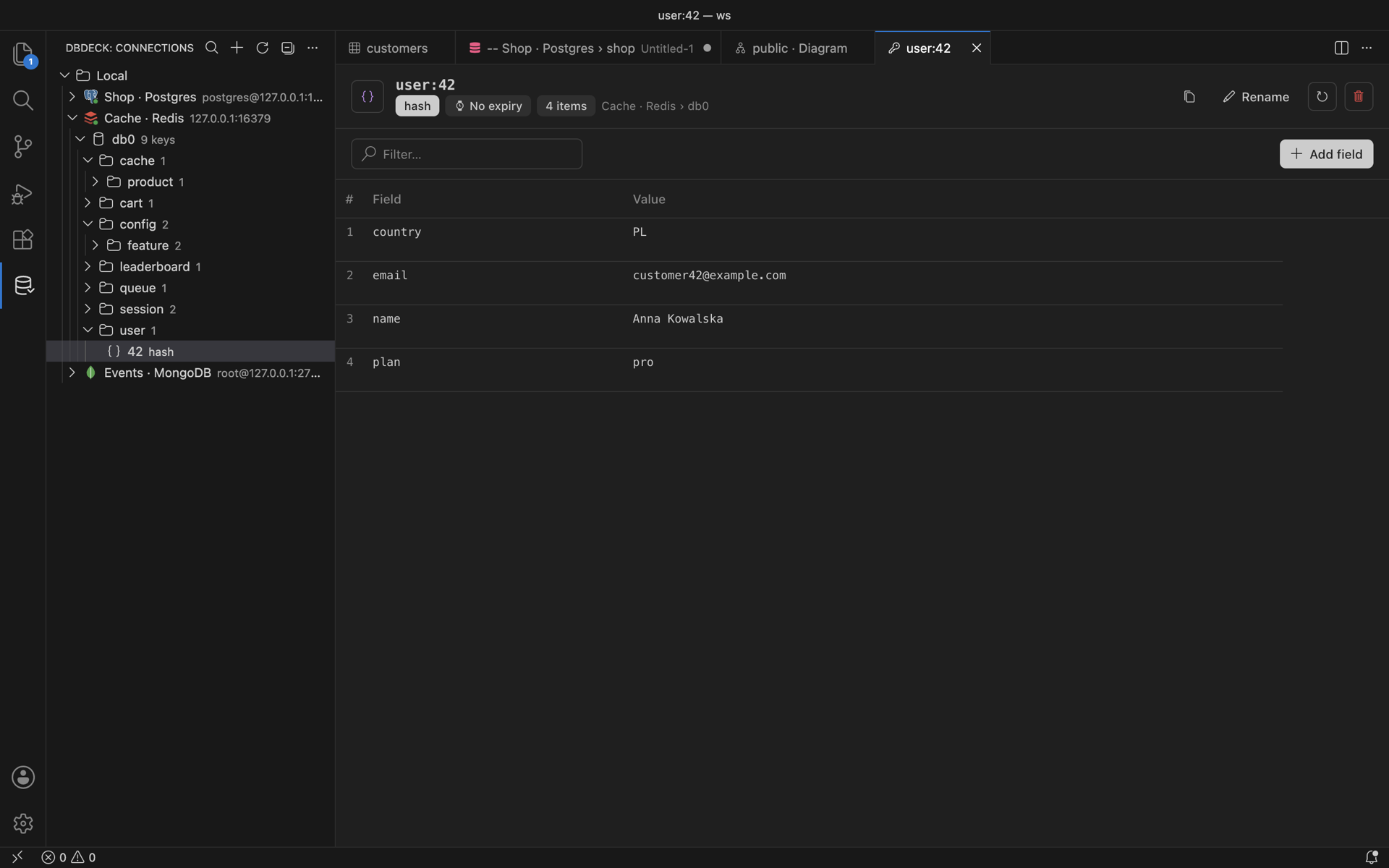
Redis keys grouped by separator with editors for every type. MongoDB documents with filters and shell-style scripts. Elasticsearch with a Kibana-style console.
- Hash, list, set, zset, stream, RedisJSON
- db.users.find({...}).sort(...) just works
- S3 buckets: open, upload, copy s3:// URI
Your credentials never leave your machine.
DBDeck talks to the databases you add and to nothing else. There is no backend to sign in to, so there is no backend to leak.
- AI queries share table names, never rows
- Bring ChatGPT, your own API key or Ollama
- Destructive actions always ask first
| data | lives in | note |
|---|---|---|
| Connection settings | Editor global state | this machine |
| Passwords and keys | OS keychain (SecretStorage) | encrypted |
| Remember password off | Session memory | gone on reload |
| Query results | Not stored | — |
| Telemetry | None | — |
Install in a minute. Pick your editor.
code --install-extension dbdeck.dbdeckcursor --install-extension dbdeck.dbdeckQuestions, answered.
Free. No account. No paywall, ever.
Install it, add a connection, open a table. You are querying in under a minute.